

To find a person by name simply means using someone’s first and last name as the starting point to locate publicly available information about them. This approach is commonly used for everyday, legitimate reasons such as:
- Reconnecting with old friends or classmates
- Verifying contact details before meeting someone
- Researching basic background information
- Confirming identity for personal safety or trust
Because a name is usually the only detail people remember, name-based searches are often the first step before moving on to deeper lookups.
Why name searches are usually the starting point
When trying to locate someone, a name is:
- The most accessible piece of information
- Often easier to obtain than a phone number or address
- The gateway to discovering other identifiers
Most advanced searches, such as address lookups or reverse phone searches, begin with a name search to narrow down possible matches.
Free vs paid tools: quick overview
There are two main ways to find a person by name:
- Free methods
- Search engines
- Social media platforms
- Public directories
- Paid people search tools
- Aggregate public records
- Offer structured reports
- Save time when free methods fall short
Each option has trade-offs, which this guide will explain clearly so readers can choose the right approach.
How this guide helps you find a person by name effectively
This article walks through:
- What name searches can and cannot do
- Free ways to find a person by name
- When paid tools like PeopleFinders become useful
- Legal and ethical boundaries to stay within
The goal is to help you search smarter, not just harder.
What It Really Means to Find a Person by Name
Searching by name sounds simple, but understanding what it actually involves helps set realistic expectations.
Why Searching by Name Is Useful
A name search can reveal helpful context when used correctly.
Look up contact details, addresses, and public records
Depending on availability, a name search may help you find:
- Current or past addresses
- Phone numbers linked to public records
- Property ownership records
- Court filings or other public documents
This information can be especially helpful when other details are unavailable.
Verify identity before a meeting or transaction
Name-based searches are commonly used to:
- Confirm someone is who they claim to be
- Reduce risk before in-person meetings
- Add confidence before financial or personal interactions
While not foolproof, name searches provide an added layer of awareness.
Limitations of Name-Only Searches
Name searches are useful, but they are not perfect.
Common names produce many results
If a name is common:
- You may see dozens of matches
- Records may overlap
- Results can appear confusing without filters
This is one of the biggest challenges when trying to find a person by name.
Additional details are often required
To improve accuracy, name searches usually need:
- City or state
- Approximate age
- Known relatives or past locations
Even one extra detail can dramatically narrow results.
Legal and Ethical Considerations
Understanding how to search is just as important as knowing what not to do.
Respecting privacy
Just because information is publicly available does not mean it should be misused. Ethical searching means:
- Avoiding harassment or stalking
- Not sharing sensitive data irresponsibly
- Using information only for lawful purposes
Public records usage rules
Public records can be used for:
- Personal research
- Reconnection and verification
- Informational purposes
They cannot be used for:
- Employment decisions
- Tenant screening
- Credit, insurance, or lending decisions
Staying within these boundaries protects both you and the person you’re searching for.
How to Find a Person by Name (Free Methods)
If you want to find a person by name free, there are several legitimate options to try before considering paid tools. These methods can work well when the name is uncommon or when you already have some context, like a city, workplace, or mutual connection. The trade-off is time, effort, and incomplete results.
Use Search Engines Strategically
Search engines are often the fastest free starting point—if you know how to use them properly.
Best search operators to use
Using operators helps narrow results dramatically:
- Quotation marks:
"John Doe"
Forces an exact-name match - Location keywords:
"John Doe" "New York"
Filters by city or state - Site-specific searches:
site:facebook.com "John Doe"site:linkedin.com "John Doe"
You can also combine details like employers, schools, or hobbies to refine results.
Example search
"John Doe" "New York"
This approach works best when:
- The person has an online presence
- The name is not extremely common
- You can add at least one unique detail
Limitations appear quickly with common names or people who keep a low digital footprint.
Social Media Search Tips
Social platforms are some of the most effective free tools for name-based searches.
Platforms to check
- Facebook – strongest for personal connections and location filters
- LinkedIn – ideal for professional verification
- Instagram – useful for younger users or visual clues
- X (Twitter) – helpful for usernames or public activity
Using filters and mutual connections
To improve accuracy:
- Filter by city, workplace, or school
- Check mutual friends or connections
- Review profile photos and timelines for confirmation
Social media works best when profiles are public, but many users restrict visibility, limiting what you can find for free.
Public Record & Government Tools (Free)
Some public records are available for free at the local or state level.
Common free public record sources
- Voter registration databases (availability varies by state)
- County court records for civil cases
- Property and tax assessor records
- Business registration databases
These tools can help confirm:
- Residency
- Property ownership
- Legal filings
However, they are often fragmented and require searching multiple sites manually.
Free People-Finder Websites
There are also free people-finder sites that aggregate limited public data.
Examples include:
- FamilyTreeNow
- Similar genealogy or directory-style databases
These sites may show:
- Names and possible relatives
- Approximate locations
- Partial address history
Limitations of free tools
Free tools often come with drawbacks:
- Outdated information
- Incomplete profiles
- No verification or accuracy guarantees
- Heavy ads or upsells
They can help you start, but they rarely provide a complete picture.
Why Paid People Search Services Work Better
Free methods are useful, but they break down quickly when names are common or details are limited. This is where paid people search services become more effective.
Deeper Access to Public Records
Paid services aggregate thousands of public data sources into a single system.
This can include:
- Address history
- Criminal and court records (where public)
- Relatives and associates
- More accurate phone and contact data
This depth is difficult to replicate manually.
Fast, Automated Search Engines
Instead of checking dozens of websites, paid tools:
- Search across billions of records at once
- Cross-reference names with locations and relatives
- Surface likely matches in seconds
This automation significantly reduces guesswork.
Less Manual Work Than DIY Methods
The biggest advantage is efficiency.
With paid services:
- One name input retrieves comprehensive results
- No need to jump between sites
- Results are structured and easier to interpret
For users who value time or need better accuracy, paid people search tools often outperform free methods by a wide margin.
PeopleFinders Overview

What PeopleFinders is and how it helps you find a person by name
PeopleFinders is a people search and public records platform designed to help users find a person by name using legally available data. Instead of searching dozens of separate databases, PeopleFinders consolidates public records into one searchable system, making name-based searches faster and more structured.
When you search by name on PeopleFinders, the platform can help you:
- Narrow down individuals with similar names
- Identify possible locations and address history
- Surface relatives or associates that help confirm identity
- Move from a basic name search to deeper records when needed
This makes PeopleFinders especially useful when free methods produce too many results or incomplete information.
Founded in the 1990s with public record databases
PeopleFinders has been operating since the 1990s, making it one of the longer-running people search services in the U.S. Longevity matters in this space, as platforms that fail to comply with privacy laws or consumer regulations tend to disappear quickly.
Over time, PeopleFinders has built and refined large public record databases sourced from:
- County and state records
- Property and address registries
- Court filings and legal documents
- Other legally accessible public sources
Its long operating history supports the conclusion that PeopleFinders is an established and legitimate service, not a short-term or unverified tool.
Not FCRA-compliant (important limitation)
PeopleFinders is not FCRA-compliant, which means it cannot legally be used for:
- Employment background checks
- Tenant or housing screening
- Credit, insurance, or lending decisions
This limitation is clearly disclosed by PeopleFinders and is standard across most people search services. The platform is intended strictly for personal, informational research.
Reputation and user trust
PeopleFinders has accumulated a large volume of user feedback across review platforms such as Trustpilot. Reviews commonly highlight:
- Ease of use
- Depth of public record information
- Frustration around auto-renewal when trial terms are missed
As with most subscription-based services, satisfaction is highest when users understand pricing and cancellation rules upfront.
PeopleFinders Services Explained
PeopleFinders offers several tools, but the core service for serious name-based searches is its Background Report Membership.
PeopleFinders – Background Report Membership
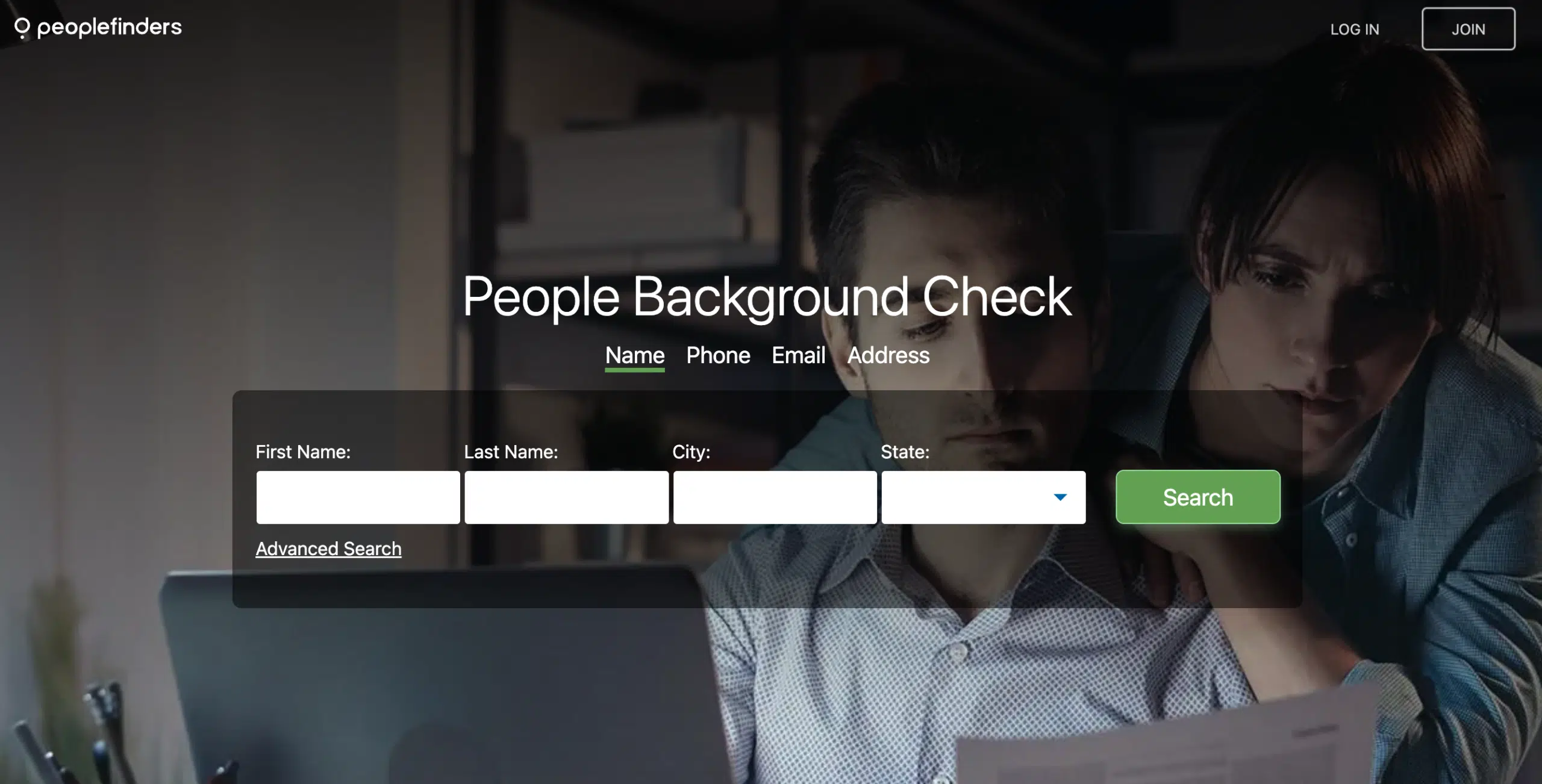
The Background Report Membership is the most comprehensive option PeopleFinders offers and the primary way users access detailed information after a name search.
What the service includes
With an active membership, reports may include:
- Criminal records (where publicly available)
- Civil court records and legal filings
- Address and location history
- Relatives and possible associates
- Phone numbers and contact history
The depth of these reports is why PeopleFinders is often chosen over free tools once a basic name search reaches its limits.
Pricing
Based on publicly reported data sources such as truthscouts.com, PeopleFinders pricing typically follows this structure:
- Introductory price: approximately $9.95 for the first month
- Regular price: approximately $24.95 per month
Memberships:
- Provide unlimited searches during the billing period
- Auto-renew monthly unless canceled
- Can be canceled through the account dashboard
Pricing may vary slightly depending on promotions or entry point.
>> Unlimited deep searches with membership >>
PeopleFinders – Reverse Phone Lookup
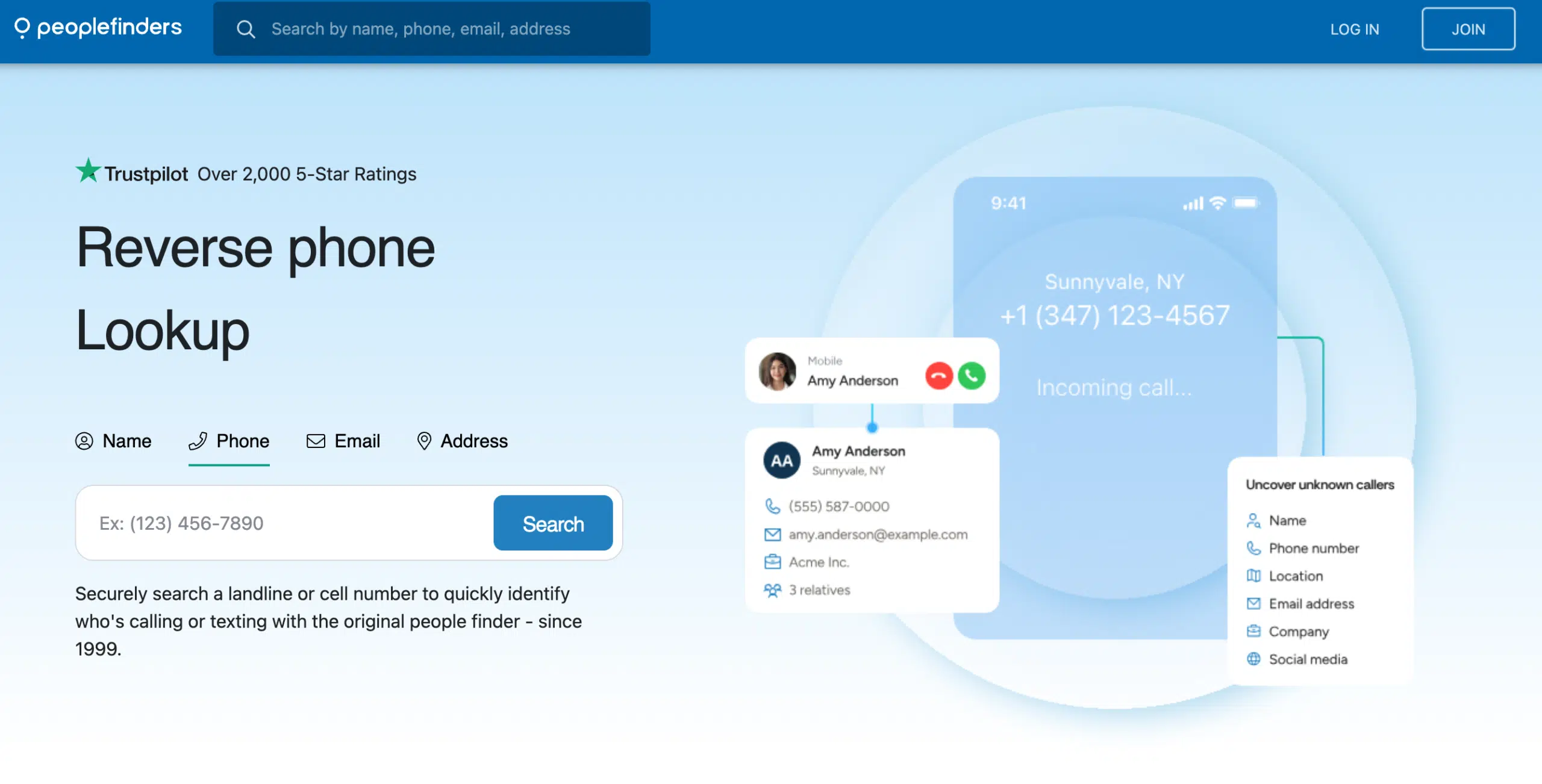
The Reverse Phone Lookup tool is designed for situations where you have a phone number but no clear idea who it belongs to. It’s commonly used when trying to verify unknown calls before responding.
What the service includes
According to publicly available sources (including truthscouts.com), reverse phone lookup reports may show:
- Possible owner name linked to the number
- Address history associated with the number
- Known associated contacts or household members
Results depend on data availability, especially for mobile numbers, which are harder to map than landlines.
Pricing
Pricing typically works as follows:
- ~$3.95 per lookup for limited access
- Or included with an active PeopleFinders membership
For users running multiple phone lookups, bundled access through a membership is usually more practical than paying per search.
>> Identify unknown callers instantly >>
PeopleFinders – Background Report with Trial
The Background Report with Trial is often the first paid option new users encounter. It allows short-term access to detailed reports before committing to a full subscription.
What the service includes
Trial access may unlock:
- Criminal records (where publicly available)
- Court and legal filings
- Address and location history
- Relatives and associated individuals
This trial is meant to preview report depth, not provide long-term access.
Pricing
Based on current reporting:
- ~$3.95 for trial access to a full background report
- Automatically converts to a $24.95/month membership if not canceled
Users should monitor trial deadlines carefully to avoid unintended renewal.
>> Try a detailed background report >>
PeopleFinders – Name Search
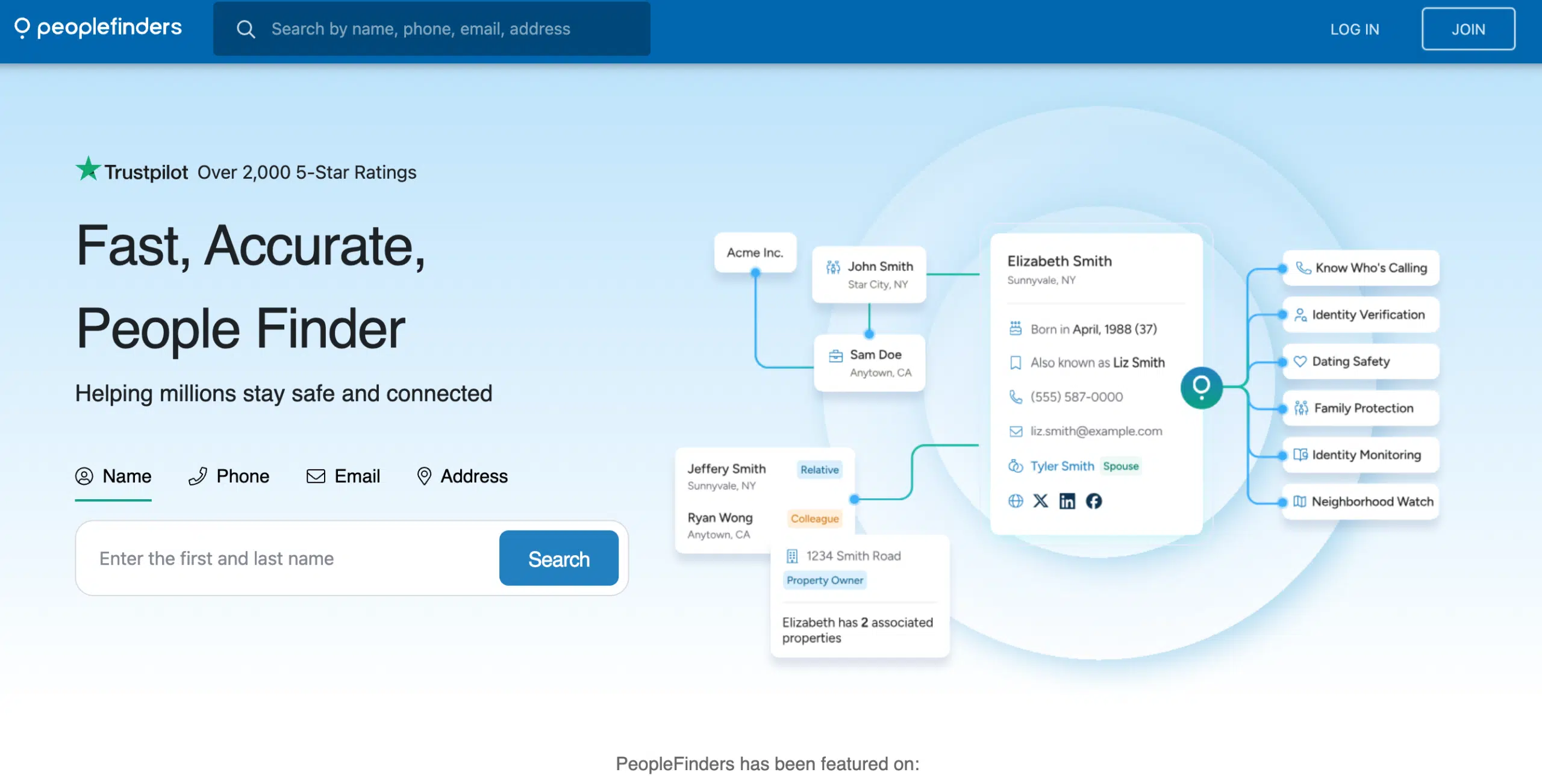
The Name Search feature is the most common starting point when trying to find a person by name using PeopleFinders.
What the service includes
Name search allows users to:
- Search by first and last name
- Apply city or state filters for accuracy
- View preview matches before unlocking reports
This is especially useful when free methods return too many results.
Pricing
Current pricing models include:
- ~$1.95 per basic name report
- Unlimited name searches included with membership
For repeated searches, the membership option is significantly more efficient.
>> Run a name search in seconds >>
How to Use PeopleFinders to Find a Person by Name
Using PeopleFinders effectively requires more than just entering a name. Following a structured process improves accuracy and saves time.
Step-by-Step Guide
- Enter first and last name
Start with the most complete name you have. - Add city or state
Location filters dramatically reduce mismatches. - Review preview matches
Confirm age ranges, relatives, or addresses before selecting a result. - Upgrade for full reports
Unlock detailed records through a trial or membership when needed.
This step-by-step approach minimizes guesswork and avoids unnecessary upgrades.
Tips to Refine Searches
To improve accuracy further:
- Add middle names or initials
- Use approximate age ranges
- Combine name searches with phone or address lookups
Cross-checking multiple data points produces more reliable results than relying on a single search.
PeopleFinders Pricing Summary (Clear & Updated)
Pricing transparency is one of the most important factors when deciding whether to use PeopleFinders. Below is a clear, up-to-date breakdown of PeopleFinders pricing in 2025, based on widely cited third-party sources and user reports.
(All pricing can be updated easily at publish time if PeopleFinders changes fees.)
Pay-Per-Report Options
Pay-per-report access is available in limited cases and is best suited for one-time or very short-term needs.
- Basic people search: approximately $1.95 per report
(commonly referenced by Best Reviews) - Reverse phone lookup: approximately $3.95 per lookup
(reported by TruthScouts) - Full background report (trial): approximately $3.95
- Provides short-term access to a detailed report
- Converts to a membership if not canceled
These options are useful for quick checks but become inefficient if you need multiple searches.
Membership Tiers
For ongoing access, PeopleFinders relies on a subscription model.
- Background Report Membership:
- ~$9.95 for the first month (introductory rate)
- ~$24.95 per month thereafter
(commonly cited by TruthScouts)
- Premium / Expanded plans:
- Up to ~$29.95 per month
- May include longer or more detailed reports depending on the plan
(referenced by Best Reviews)
Memberships typically include:
- Unlimited name searches
- Reverse phone lookup access
- Full background-style public record reports
- Auto-renewal unless canceled
This structure is best for users who plan to run multiple searches over time.
Key pricing takeaway
- One-time reports are affordable but limited
- Trial access is low-cost but requires attention to renewal
- Memberships offer the best value for frequent searches
- Auto-renewal is standard and should be managed proactively
Is PeopleFinders Worth It?
Whether PeopleFinders is worth using depends on your expectations, frequency of use, and tolerance for public-record limitations.
Pros
Extensive public record access
PeopleFinders aggregates data from numerous public sources, making it easier to locate information that would otherwise require searching multiple databases manually.
Multiple search types
Users can search by:
- Name
- Phone number
- Address
- Public record categories
This flexibility makes PeopleFinders more versatile than single-purpose tools.
Saves time vs free manual search
Instead of checking search engines, social media, and government databases separately, PeopleFinders centralizes results into one report, saving significant time.
Cons
Public record accuracy varies
Because PeopleFinders relies on public records:
- Data may be outdated
- Some records may be missing or incomplete
- Accuracy depends heavily on jurisdiction and name uniqueness
Auto-renewal concerns reported by some users
Some users have raised concerns about billing misunderstandings on platforms like ConsumerAffairs. These issues are typically tied to missed cancellation deadlines rather than undisclosed fees.
Not FCRA-compliant
PeopleFinders cannot be used for:
- Employment screening
- Tenant screening
- Credit, insurance, or lending decisions
This is a strict legal limitation and not unique to PeopleFinders.
Overall evaluation
PeopleFinders is worth considering if:
- You need to find a person by name beyond what free tools provide
- You plan to run multiple searches
- You understand and accept public-record limitations
It may not be worth it if:
- You only need one lookup
- You require verified, real-time data
- You need FCRA-compliant background checks
PeopleFinders vs Free Search Methods
When trying to find a person by name, many people start with free tools—and that’s often the right move. However, free methods have limits. This section explains when free tools are enough and when paid services like PeopleFinders perform better.
When Free Tools Work
Free search methods are effective in simple, low-friction scenarios, especially when the person has a visible online presence.
Basic name results
Free tools work well when:
- The name is uncommon
- The person has public social profiles
- You already know their city, school, or workplace
Search engines and social media can often surface:
- Public profiles
- Mentions in articles or directories
- Basic location clues
Quick contact info
In some cases, free tools may reveal:
- Business phone numbers
- Public email addresses
- Professional profiles
For casual reconnections or surface-level checks, free methods can be enough without cost.
When Paid Tools Are Better
Free tools break down quickly when names are common or information is fragmented. This is where paid people search services become more effective.
Deep background records
Paid tools like PeopleFinders aggregate records that free searches typically miss, such as:
- Address history
- Court and public filings
- Known relatives and associates
This depth is especially useful when verifying identity or confirming long-term history.
Phone, address, and criminal data
Paid services are better when you need:
- Reverse phone lookup
- Address verification
- Public criminal or court records (where available)
Instead of searching multiple databases manually, paid tools consolidate results into one structured report.
Key comparison takeaway
- Free tools are ideal for simple searches with strong clues
- Paid tools work better for common names or limited info
- Time saved is often the biggest advantage of paid services
Safety & Privacy When Searching People Online
Finding someone by name carries responsibility. Knowing how to search safely and ethically protects both you and the person you’re researching.
How to Find a Person by Name Safely
Avoid stalking or misuse
Ethical searching means:
- Never using information to harass or threaten
- Avoiding repeated unwanted contact
- Not sharing sensitive details publicly
Even publicly available data can cause harm if misused.
Respect consent and boundaries
Just because information exists does not mean it should be acted upon. Responsible use includes:
- Limiting searches to legitimate personal reasons
- Respecting requests for privacy
- Avoiding assumptions based on incomplete data
This is especially important when searching people you don’t know personally.
How PeopleFinders Handles Data
PeopleFinders operates within the boundaries of U.S. public record laws and privacy regulations.
Uses public sources
PeopleFinders:
- Aggregates legally accessible public records
- Does not access private or hacked databases
- Does not notify subjects when searched
The platform organizes existing information, it does not create new personal data.
Search history and privacy disclaimers
From a user perspective:
- Your searches are handled privately
- Subjects are not alerted
- Data use is governed by PeopleFinders’ privacy policy
Users are still responsible for how they use the information obtained.
FAQs
This FAQ section addresses the most common questions people ask when trying to find a person by name, especially when using tools like PeopleFinders alongside free methods.
How accurate is PeopleFinders when you find a person by name?
PeopleFinders can be reasonably accurate, but accuracy depends on several factors:
- How common the person’s name is
- Whether you include location, age, or middle name
- How recently public records were updated
For unique names with location filters, results are often clear. For common names, multiple matches are normal and require careful review.
PeopleFinders improves accuracy by aggregating multiple public sources, but it does not verify data in real time.
Is it truly free to find a person by name?
Yes and no.
- Free methods (search engines, social media, public records) can help you find a person by name at no cost, but results are often limited or fragmented.
- PeopleFinders is not fully free. It may show preview results, but detailed reports require:
- A low-cost trial, or
- A paid membership
So while it’s possible to start free, complete and consolidated results usually require payment.
Can PeopleFinders results be wrong?
Yes, PeopleFinders results can sometimes be incorrect or outdated.
Common reasons include:
- Delays in public record updates
- Shared names or addresses
- Errors in original public databases
This is why PeopleFinders should be used for informational purposes only, not as definitive proof. Cross-checking with multiple data points is always recommended.
How do I cancel PeopleFinders membership?
Canceling PeopleFinders is generally straightforward if done on time.
Typical steps:
- Log into your account dashboard
- Navigate to subscription or billing settings
- Cancel before the next billing cycle
- Save the cancellation confirmation
Most complaints related to billing come from missed deadlines, not from blocked cancellations.
Final Thoughts on Finding a Person by Name
Finding a person by name is often the first and most practical step in locating someone, but the best approach depends on how much information you need and how quickly you need it.
Free methods vs paid tools
- Free methods work well for:
- Uncommon names
- People with visible online profiles
- Quick, surface-level checks
- Paid tools become useful when:
- Names are common
- Free searches return too many results
- You need address history, phone data, or public records
Each approach has value, the key is knowing when to move from one to the other.
When a PeopleFinders membership makes sense
A membership is most useful if you:
- Need to find a person by name multiple times
- Want consolidated public records in one place
- Prefer speed over manual searching
For one-off searches, free tools or low-cost trials may be enough. For repeated or deeper searches, PeopleFinders can save significant time.
Practical next steps for readers
If you’re trying to find someone by name:
- Start with free search engines and social media
- Add location or age to narrow results
- Use public records where available
- Consider PeopleFinders when free methods fall short
Approached responsibly and ethically, name-based searches can be a powerful way to reconnect, verify, or research without overstepping privacy boundaries.

Add a Comment